What if your home could automatically reduce its electromagnetic footprint every night — turning off WiFi, powering down unnecessary wireless devices, and scaling back RF exposure — all while keeping your security system fully armed? That's exactly what Home Assistant makes possible.
What Is Home Assistant?
Home Assistant is an open-source home automation platform that runs locally on a small computer in your home. Unlike cloud-based smart home systems (Google Home, Amazon Alexa, Apple HomeKit), Home Assistant processes everything on your local network. Your data never leaves your house. Your automations don't depend on an internet connection. And the platform is free.
Home Assistant connects to over 2,000 device types — smart plugs, switches, lights, sensors, routers, and more. It provides a powerful automation engine that can trigger actions based on time, device state, presence detection, or custom conditions. For EMF reduction, this flexibility is what makes it the ideal platform.
How Automations Control Your WiFi Environment
The core concept is simple: use smart plugs and network commands to power-cycle wireless devices on a schedule that aligns with your sleep.
Here's how a typical bedroom automation works:
- Smart plugs on WiFi access points: Mesh WiFi nodes and standalone routers can be plugged into smart plugs that Home Assistant controls. At your chosen bedtime, the automation cuts power to these devices, eliminating their RF output entirely.
- Router API integration: Some routers support direct API control, allowing Home Assistant to disable WiFi radios without cutting power to the device. This preserves wired ethernet connections while eliminating wireless emissions.
- Device-specific controls: Smart TVs, smart speakers, and other wireless devices can be individually switched off or put into airplane mode through smart plug scheduling.
- Morning restoration: At your wake-up time, everything comes back online automatically. By the time you reach for your phone, WiFi is fully operational.
The Rest Dashboard Concept
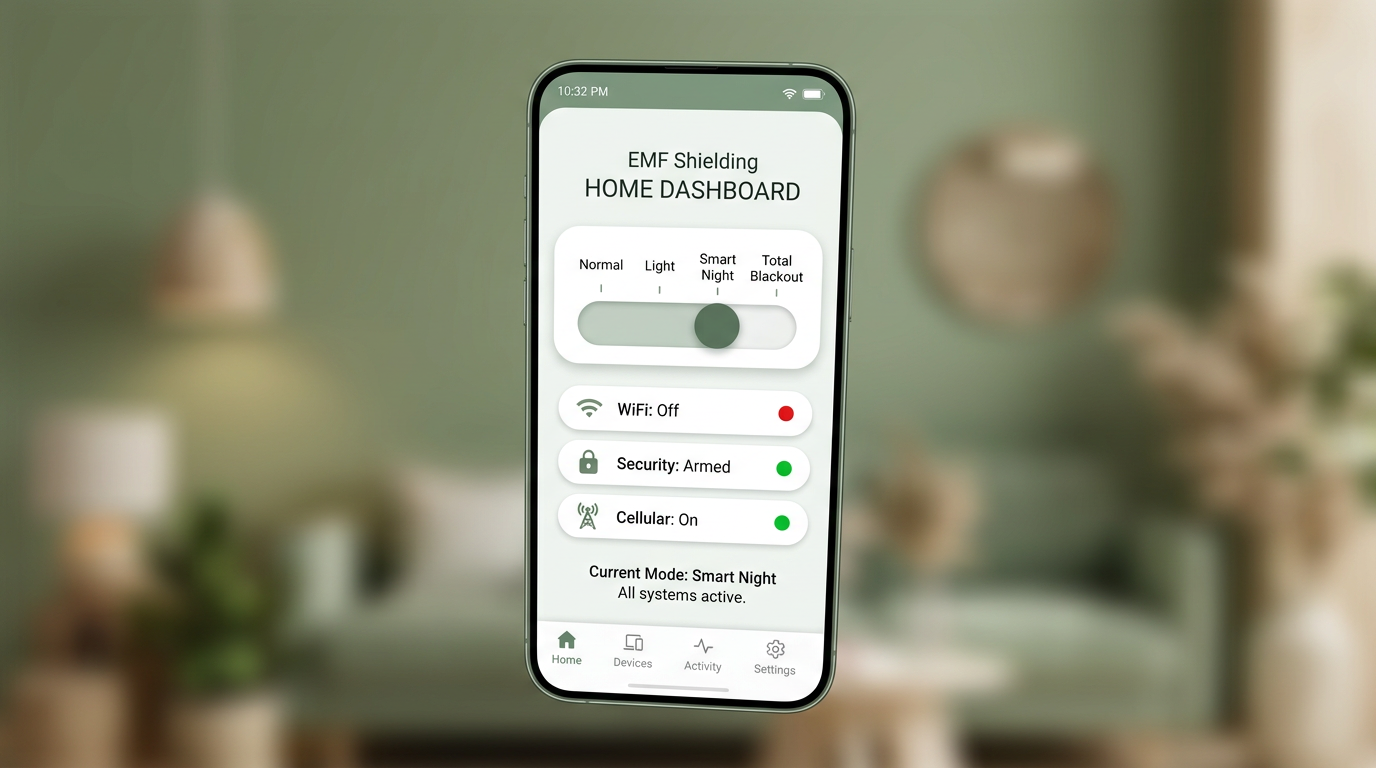
At EMF Shield, we take this further with what we call the Rest Dashboard — a custom Home Assistant interface that gives you intuitive, one-tap control over your bedroom's RF environment.
The dashboard features four protection levels:
- Normal: Everything operates as usual. Full WiFi, all devices active. This is your daytime mode.
- Night Mode: WiFi access points in and near bedrooms are powered down. Wired connections remain active. Security system stays armed. Smart devices that require WiFi are gracefully shut down.
- Deep Rest: Extended reduction that includes powering down additional wireless sources like Bluetooth hubs and smart home bridges that aren't security-critical.
- Total Blackout: Maximum reduction. All non-essential wireless devices are powered off. Only hardwired security and emergency systems remain operational.
Each level is carefully designed to maintain your home's security at every stage. The alarm system, cellular backup, and wired cameras continue functioning regardless of which level you choose.
Why Local Automation Matters
There's an important reason we build on Home Assistant rather than cloud-based platforms: reliability and privacy.
Cloud-based automations depend on internet connectivity. If your ISP has an outage at 2 AM, a cloud-based "turn off WiFi" automation might not execute — or worse, might not be able to turn things back on in the morning. Home Assistant runs locally, so your automations execute regardless of internet status.
Privacy is the other consideration. When you use cloud-based smart home platforms, your usage patterns — when you sleep, when you wake, which devices you use — are transmitted to corporate servers. Home Assistant keeps all of this data on a device in your home. No one sees your sleep schedule but you.
For a service focused on the bedroom environment, this privacy-first approach isn't just a technical preference — it's a philosophical one. Your sleep habits are personal, and the system that protects your sleep shouldn't be surveilling it.
Community Approaches and Night Mode
The Home Assistant community has been exploring "night mode" automations for years. On the r/homeassistant subreddit, you'll find numerous discussions about scheduling WiFi downtime, controlling smart plugs on timers, and building dashboards for bedtime routines.
Common community approaches include:
- Using the Home Assistant "Schedule" integration to define bedtime and wake-up windows
- Creating "scenes" that configure multiple devices with a single tap
- Building conditional automations that check whether anyone is still using WiFi before shutting it down
- Using presence detection to trigger sleep modes when all household members are in their bedrooms
What EMF Shield adds to these community approaches is professional installation, RF measurement verification, security integration, and a polished dashboard interface that any household member can use — not just the technically inclined.
What a Professional Installation Looks Like
When we install a Rest Dashboard system, the process includes:
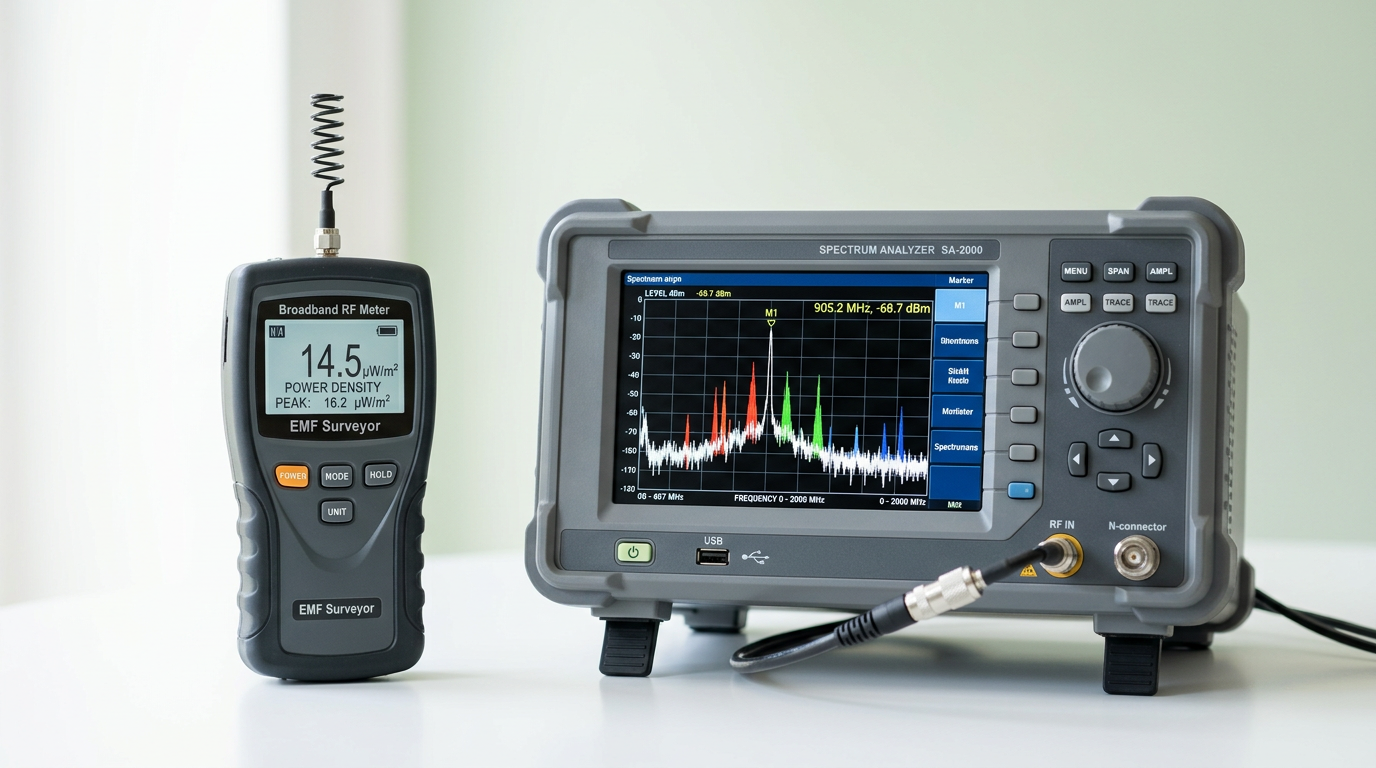
- Pre-installation RF assessment: We measure your bedroom's power density with calibrated instruments to establish a baseline.
- System design: We map which devices need to be controlled, which need to stay active, and how the levels should be configured for your household.
- Hardware installation: Smart plugs, Home Assistant hardware, and any necessary ethernet infrastructure are installed and configured.
- Dashboard configuration: The Rest Dashboard is customized for your home and installed on your phone or tablet.
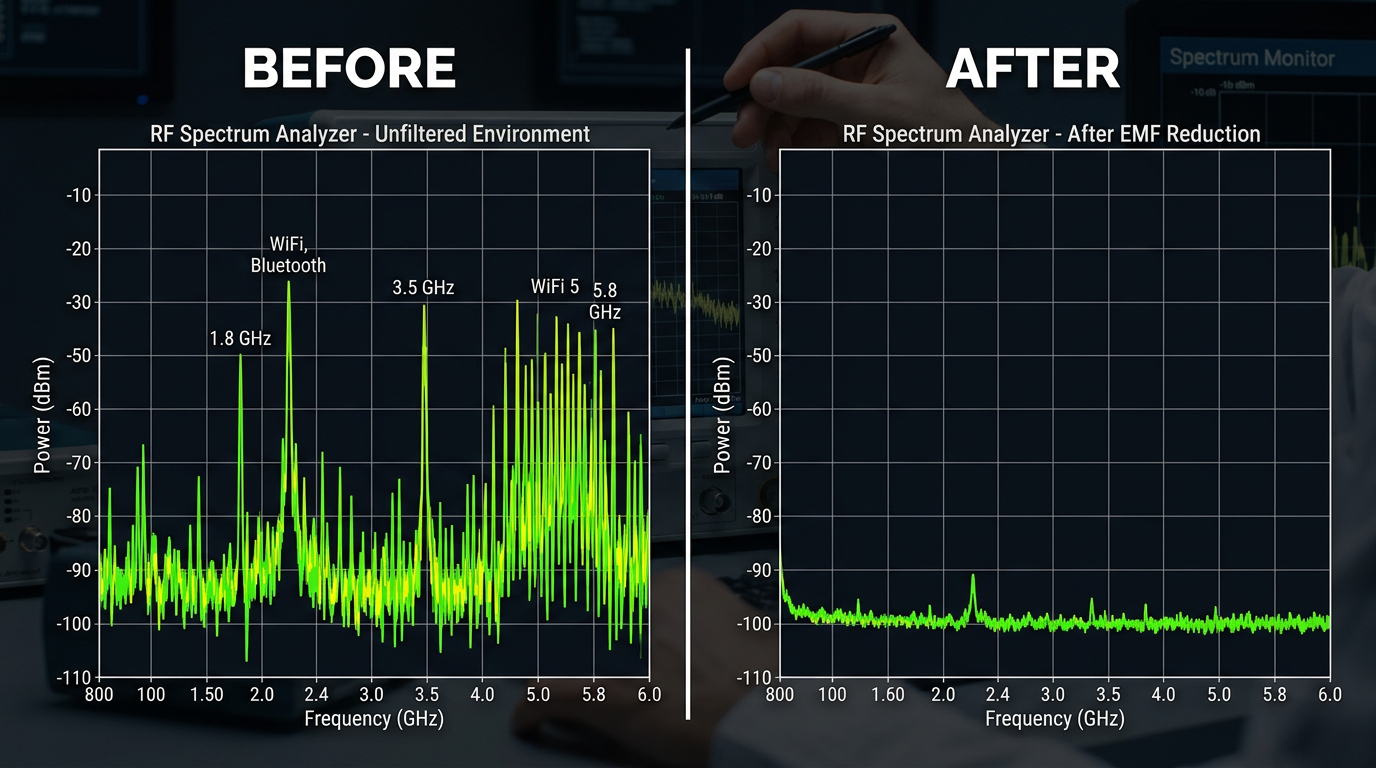
- Post-installation verification: We re-measure RF levels at each dashboard setting to verify the reduction and provide before/after documentation.
The result is a system that's genuinely turnkey. You tap a button before bed, and your bedroom's RF environment transforms. You tap it again in the morning, and everything comes back.
Key Takeaways
- Home Assistant is open-source, local, and doesn't depend on cloud services
- Smart plugs and router APIs allow automated WiFi control aligned with your sleep schedule
- The Rest Dashboard offers four intuitive protection levels — from Normal to Total Blackout
- Local automation ensures reliability even during internet outages
- Professional installation includes measurement, security integration, and verification